1
Write what the poster is for
A sentence is enough. Trend chips fill the festival so you do not start from a blank box.
Studio · Create
Prompt
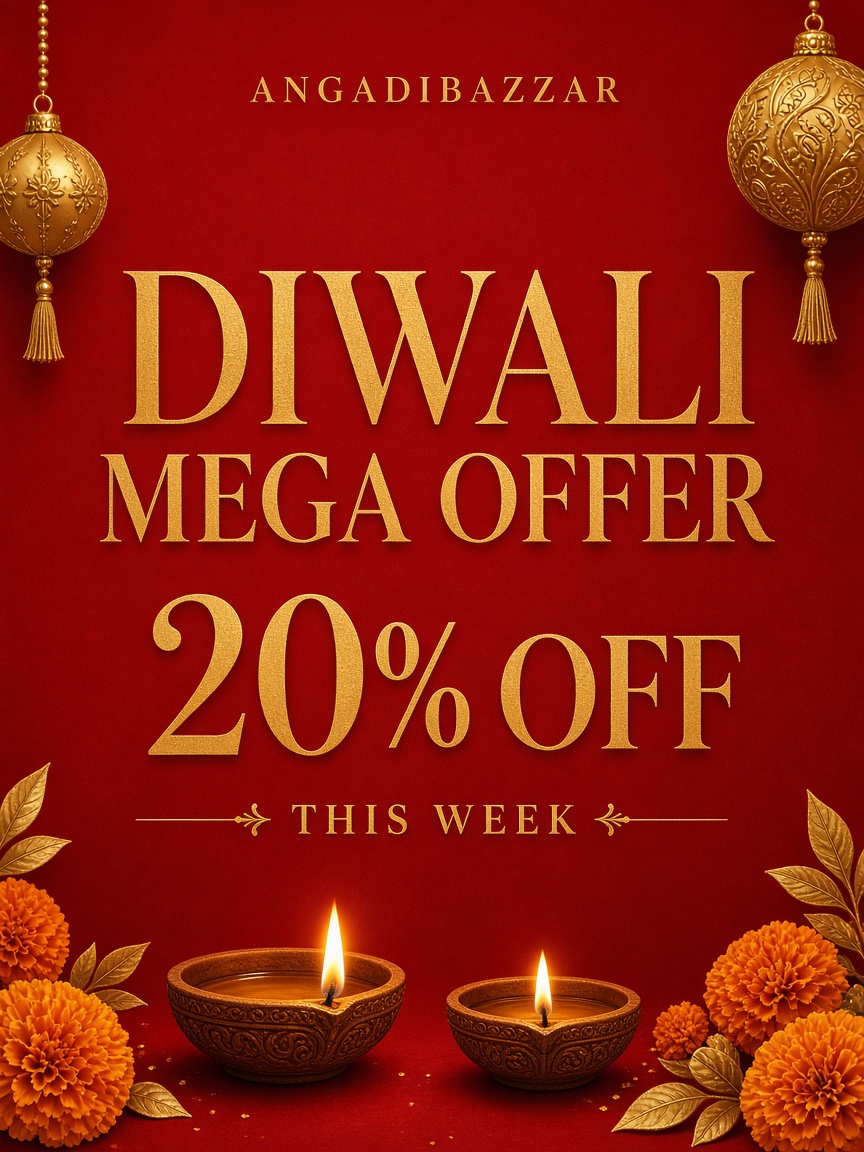
Diwali offer for our kirana — 20% off this week, Telugu headline
DiwaliUgadiWeekend offer
Product / Studio
Write what you need, pick a brand kit, and Design Graphic. Studio copies logo, colors, and style posters — then you publish.
A festival, offer, or everyday poster that looks like your brand, without waiting on a designer.
Shop owners, agencies, and local teams who post weekly and cannot afford a retainer for every festival.
On-brand posters from a prompt, trend chips, a brand kit, and optional subject photos. Style posters stay collapsed until you need them.
GSTIN and legal address never go on the artwork. Those live on the organization for invoices only.
Use cases
Diwali is next week. You pick the Diwali chip, keep the brand kit on, and write “20% off this week, Telugu headline.”
A print-like poster with your logo, kit colors, and the same header/footer as last year’s style posters.
Upload the product shot as a subject photo. The red circle on a thumb removes a photo you added by mistake.
The offer uses your real SKU photo, not a stock image, and still matches the kit.
Set brand kit to None when it is a personal greeting, not a client job.
A one-off graphic that does not drag another brand’s logo onto the canvas.
How to use it
Recreated from the live product so you can follow along before you create an account. Red circles mean a count or a remove — they are not decoration.
A sentence is enough. Trend chips fill the festival so you do not start from a blank box.
The kit brings logo and colors. Style posters stay shut so the form stays short. The red circle is the count — same language as the remove control on photos you add.
Product, person, or venue. The red circle on a thumb removes an extra you just added — it does not delete kit posters.
Credits spend here. Preview lands on the right. Save to Library, download, or send to WhatsApp / social.
Uses image credits · 4:5 default
Usually next
Start with a brief. Pick type and language, add scenes, then generate clips with speech, captions, and optional music.
See how it works →
Logo, colors, voice, social handles, and style posters. Studio copies from the kit you select.
See how it works →
Cloud API numbers, approved templates, and broadcasts from the same workspace as Studio.
See how it works →